The PrinterZip Z10
The PrinterZip Z10
The PrinterZip Z10 Applicator
If you already own a printer model we support, then this is where you can order a Z10 Applicator to fit it. Upgrade your label printer into a PrinterZip Labeling System.
How to Order
Step 1: Check if we support your printer
The Z10 is designed to work with many popular desktop thermal printers. Check here to see if your printer is on our supported printer list. If it is you can proceed to Step 2. Note however that your printer must have a peeler/dispenser on it. If it doesn’t we offer user installed peeler modules on our Printer Accessories page.
If you do not have a supported printer model, visit our Z10 Packages page where we offer complete printer/applicator systems.
Supported Printer List
Brother
- Brother TD2310D
- Brother TD2320D
- Brother TD2350D
- Brother TD4210D
- Brother TD4410D
- Brother TD 4420D
- Brother TD 4520D
- Brother TD 4550D
- Brother TD4420TN
- Brother TD4520TN
- Brother TD4650TN
- Brother TD4750TN
Zebra
- Zebra ZD421 Direct Thermal Models
- Zebra ZD421 Thermal Transfer Models
- Zebra ZD621 Direct Thermal Models
- Zebra ZD621 Thermal Transfer Models
- Zebra ZD411 Direct Thermal Models
- Zebra ZD411 Thermal Transfer Models
- Zebra ZD611 Direct Thermal Models
- Zebra ZD611 Thermal Transfer Models
- Zebra ZD220 Direct Thermal
- Zebra ZD220 Thermal Transfer
Step 2: Add the Z10 Base Unit to your shopping cart.
The drop-down menu on the Base Unit lists all the printer models we support. Select your model from the list and add it to your cart. We will provide a Base Unit that is custom fitted for your printer.
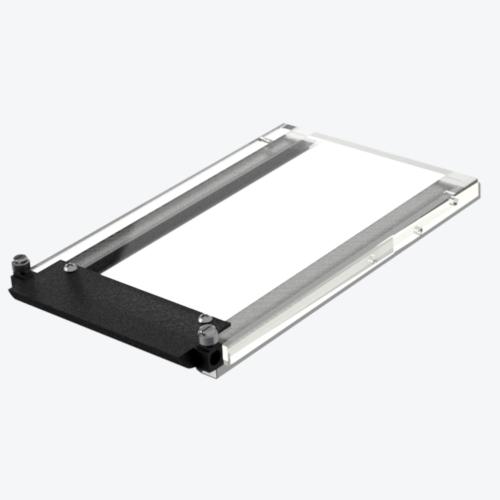
Step 3: Select a Label Tray
- Chose a Label Tray from the drop-down menu that matches the size of the label you will be applying
Standard label sizes are listed on the Label Tray drop-down menu. Contact us if your size is not listed.
- Each label size requires its own tray
- The Z10 base unit does not include a label tray. You must have a label tray for the applicator to work.
Label Material: Labels for desktop printers are made from a variety of materials. Paper labels are most common but specialty labels made from synthetic materials are also sold. In general, stiffer label materials such as paper perform best in our applicators. Synthectic label materials such as polypropolene (sometime called BOPP) are more flexible than paper and should be avoided in lengths greater than 6 inches.
Labels for desktop printers most often come with a 1" diameter core. Labels with a core that is less than 1" diameter are not recommended.
Labels should be rectangular or square in shape with no cutouts along the edges. Other shapes sometimes work but it is best to contact us with details.
Showing all 2 results

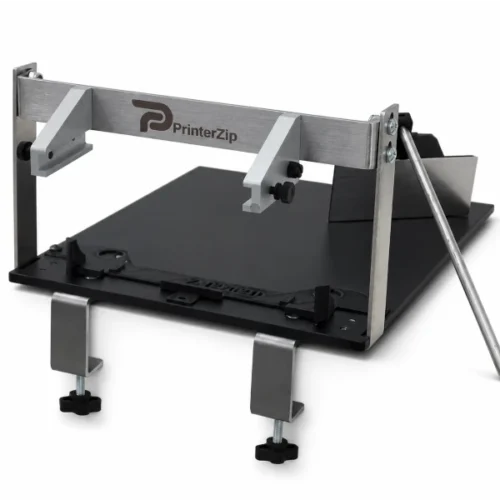
PrinterZip Model Z10 Base Unit
The PrinterZip Z10 Base Unit is a universal base for our PrinterZip Labeling machines. We…
$165.00 Select options This product has multiple variants. The options may be chosen on the product page
Label Tray
Label trays mount on the Z10 base unit and are purchased to match the label…
$30.00 Select options This product has multiple variants. The options may be chosen on the product page