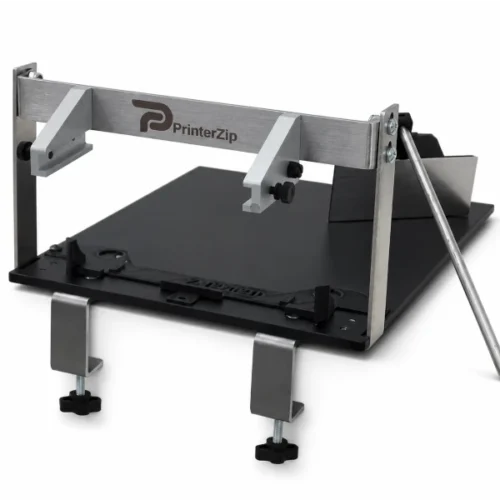
The PrinterZip Z10

The PrinterZip Z10

The PrinterZip Z10 Applicator

If you already own a printer model we support, then this is where you can order a Z10 Applicator to fit it. Upgrade your label printer into a PrinterZip Labeling System.

How to Order

Step 1: Check if we support your printer

The Z10 is designed to work with many popular desktop thermal printers. Check here to see if your printer is on our supported printer list. If it is you can proceed to Step 2. Note however that your printer must have a peeler/dispenser on it. If it doesn’t we offer user installed peeler modules on our Printer Accessories page.

If you do not have a supported printer model, visit our Z10 Packages page where we offer complete printer/applicator systems.

Supported Printer List

Brother
  • Brother TD2310D
  • Brother TD2320D
  • Brother TD2350D
  • Brother TD4210D
  • Brother TD4410D
  • Brother TD 4420D
  • Brother TD 4520D
  • Brother TD 4550D
  • Brother TD4420TN
  • Brother TD4520TN
  • Note: Linerless printers are not compatible
Zebra
  • Zebra ZD421 Direct Thermal Models
  • Zebra ZD621 Direct Thermal Models
  • Zebra ZD411 Direct Thermal Models
  • Zebra ZD611 Direct Thermal Models
  • Zebra ZD220 Direct Thermal
  • Note: Linerless and Thermal Transfer printers are not compatible

Step 2: Add the Z10 Base Unit to your shopping cart.

The drop-down menu on the Base Unit lists all the printer models we support. Select your model from the list and add it to your cart. We will provide a Base Unit that is custom fitted for your printer.

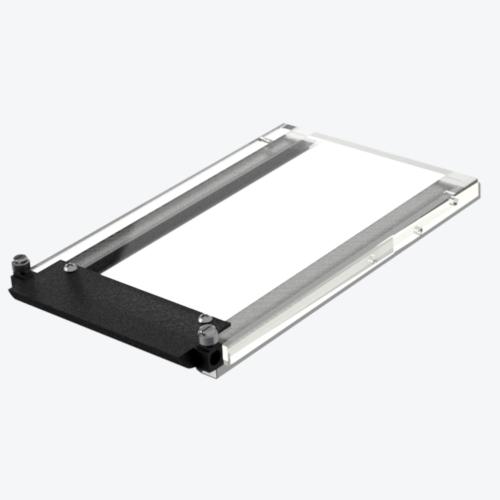
Step 3:  Select a Label Tray

  • Chose a Label Tray from the drop-down menu that matches the size of the label you will be applying 
  • Standard label sizes are listed on the Label Tray drop-down menu. Contact us if your size is not listed. 

  • Each label size requires its own tray
  • The Z10 base unit does not include a label tray. You must have a label tray for the applicator to work.

Using a Zebra Desktop Printer? Learn how the PrinterZip Z10 works as a label applicator for Zebra Printers

Showing all 2 results