How to Apply Labels Faster to Boxes, Mailers, and Flat Products

How to Apply Labels Faster to Boxes, Mailers, and Flat Products

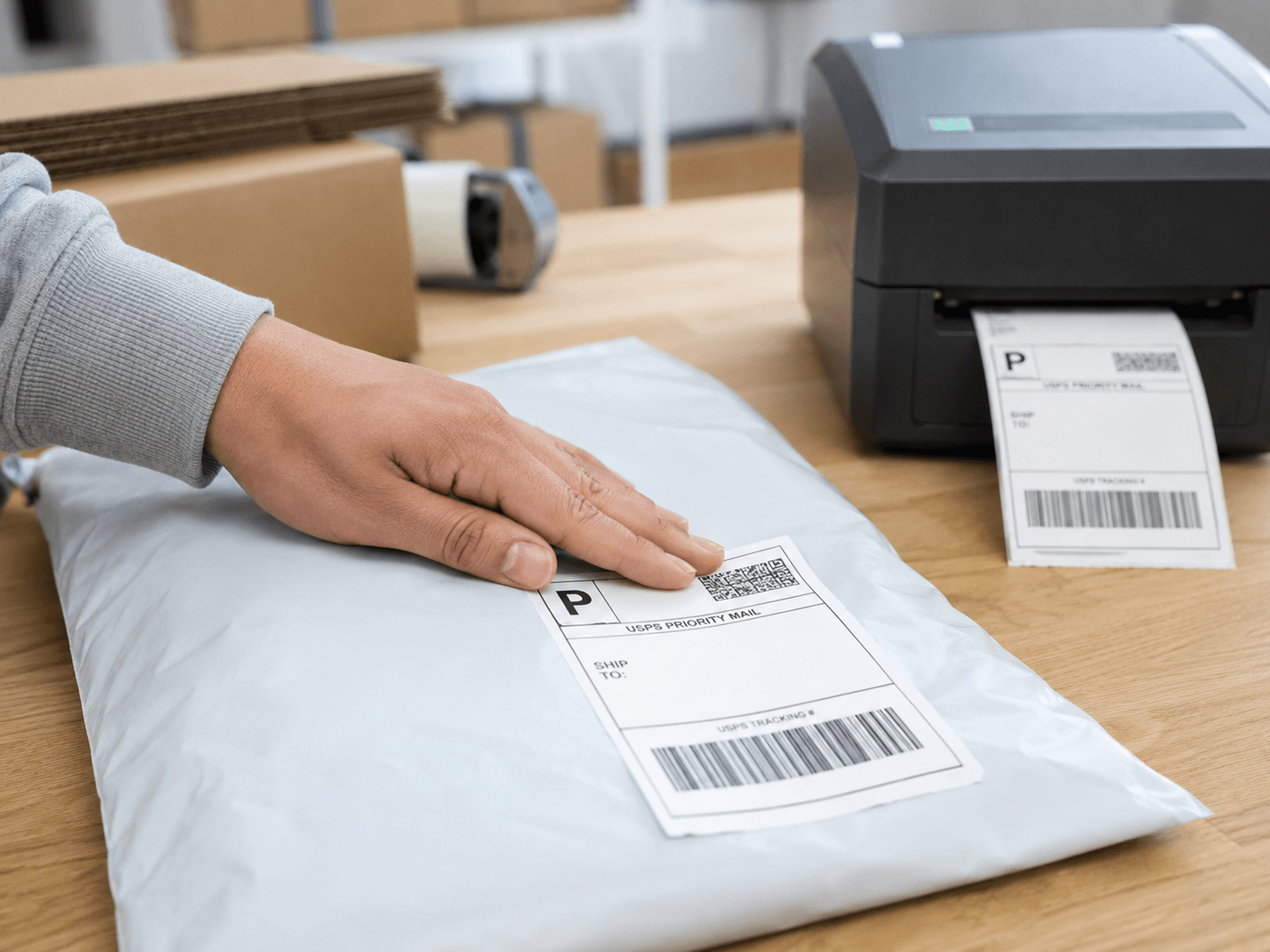
If you use a desktop label or barcode printer to create labels, you know that hand applying them can become a bottleneck when a business processes many packages each day. Printing the label is only one step. The operator must still peel it from the backing paper, position it correctly, apply it, and discard the liner.

A few workflow improvements can make label application faster and more consistent.

Organize the Workstation
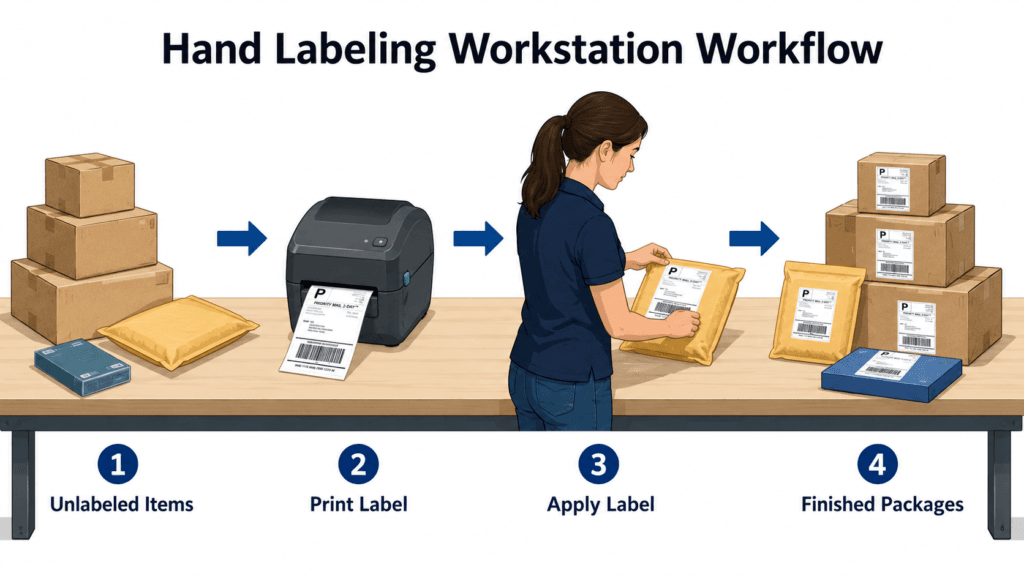
image of workflow pattern for a hand apply desktop label printer workstation

Keep the printer, unlabeled packages, and finished packages within easy reach. A simple left-to-right workflow can reduce unnecessary movement:

  • Unlabeled packages on one side

  • Printing and labeling in the center

  • Finished packages on the other side

The printer should be positioned close to the application area so the operator does not need to reach or turn repeatedly.

Use the Right Label Size and Position

Choose a label size that fits both the printed information and the available surface area. Labels should be applied to a flat, supported section of the package.

Avoid placing labels over seams, corners, wrinkles, tape ridges, or uneven surfaces.

Using the same label position on every box or mailer also saves time. An edge guide or visual reference can help operators place labels quickly and consistently.

Reduce Peeling and Adhesive Handling

Peeling labels from backing paper is often one of the slowest parts of the process. Labels may stick to fingers or gloves, curl, fold over, or require repositioning.

A printer peeler module can partially separate the label from the liner, making it easier to grasp. However, the operator still needs to pick up and position the label by hand.

Reducing contact with the adhesive can improve speed and help keep labels flat and clean.

Print Labels in Package Order

When printing multiple labels, produce them in the same order as the packages being processed. This reduces sorting and lowers the risk of applying the wrong label.

For many operations, printing and applying one label at a time is more efficient than creating a large stack of loose labels.

Consider a Label Applicator

Label applicators can reduce the amount of hand contact and repetitive peeling required during label application.
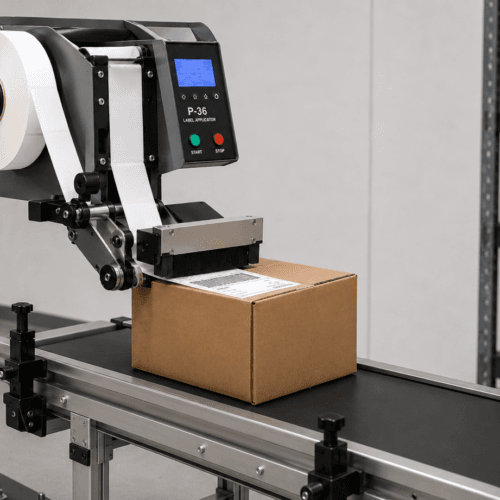
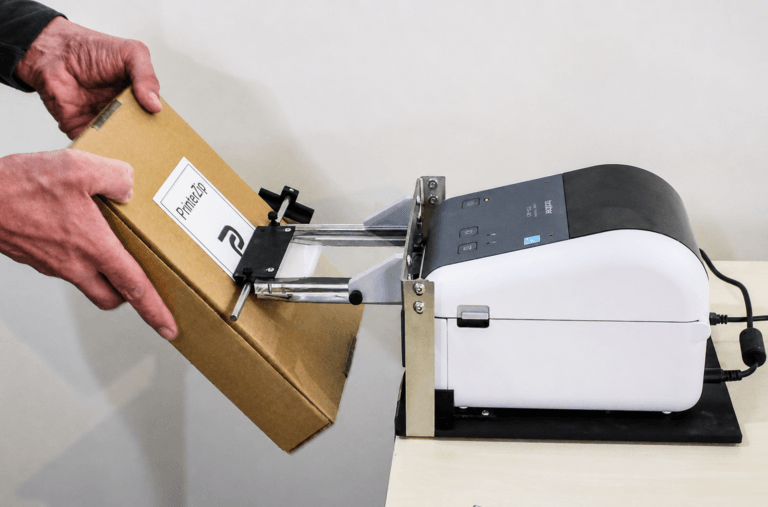
 

Image of an automatic label applicator machine with a feed conveyor
A Conventional Automatic Label Applicator

Traditional label applicator machines generally require labels to be supplied on a roll. This often means that labels must be preprinted or printed and rewound before they can be loaded into the applicator.

These systems can be effective in high-volume production environments, particularly when the same label is applied repeatedly. However, they may be less practical for businesses printing variable shipping labels, order information, or unique barcodes from a desktop label printer.

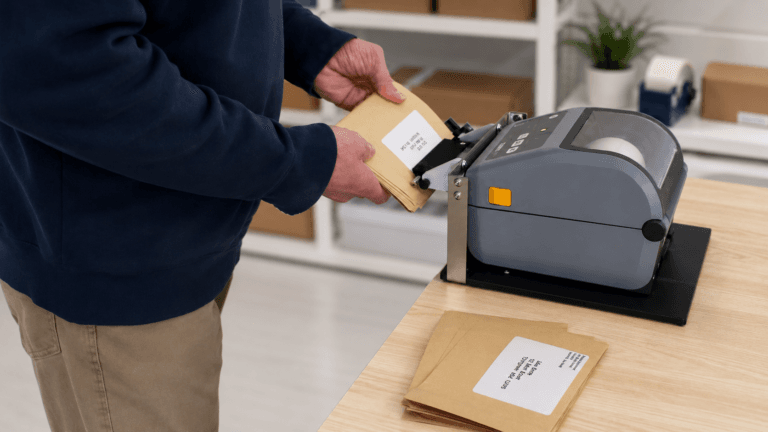
image of label being applied to a box with the PrinterZip Z10 label printer applicator
PrinterZip Z10

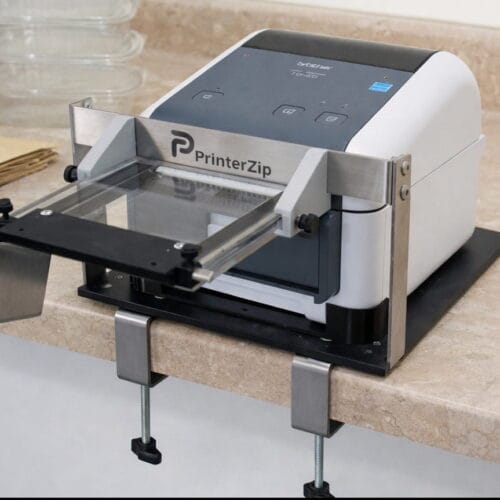
The PrinterZip Z10 is a Label Printer Applicator that works with many compatible desktop label printer models to create a complete Print-Apply Workstation. As each label prints, it feeds into the Z10 and is presented for direct application to a box, mailer, or other type of package.

Instead of peeling up and handling the label, the operator moves the package against the exposed label. This combines printing and application into one workstation and reduces unnecessary handling.

The Z10 can be used with variable labels, including:

  • Shipping labels

  • Barcode labels

  • Product labels

  • Inventory labels

  • Serial number labels

  • Carton identification labels

Unlike traditional label applicators, it operates without electricity, motors, compressed air, or sensors. This makes it both economical and simple to use.

Measure the Entire Process

Printer speed alone does not determine labeling productivity. The complete process also includes peeling, positioning, applying, smoothing, and disposing of the backing paper.

Improving these steps can often save more time than simply using a faster printer.

Final Thoughts

Faster label application starts with an organized workstation, correctly sized labels, consistent positioning, and reduced handling.

Z10 unit with desktop printer

For businesses printing variable labels from desktop printers, a direct print-and-apply setup such as the PrinterZip Z10 can provide a practical alternative to conventional hand application or larger automated systems.

Leave a Reply

Your email address will not be published. Required fields are marked *

Contact Us
close slider